
Losing Sales While Your Team Checks Stock? Connecting Your CRM to Your ERP
Why your AI answers opening hours but not stock or price questions, what connecting a CRM to your ERP takes for a KL business, and when it isn't worth it.
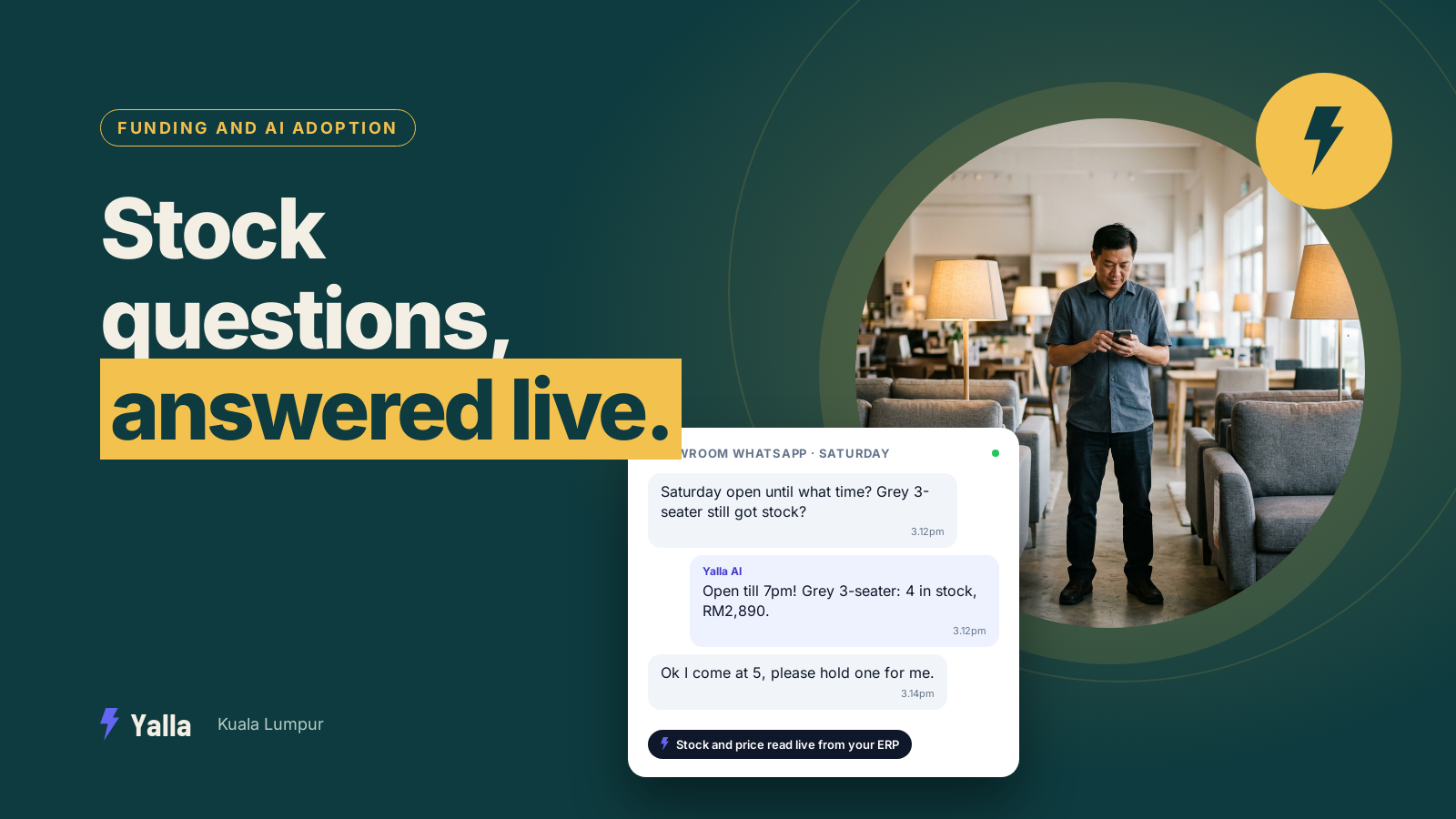
A customer messages a furniture showroom in Puchong with two questions in one breath: "Saturday open until what time?" and "The grey three-seater, still got stock or not?" The AI answers the first straight away. On the second it goes vague, or makes something up, or hands over to a salesperson who then has to walk to the back office, open the stock system and message back twenty minutes later. By then the customer has asked two other shops.
That gap isn't a sign your AI is weak. Every serious CRM now ships an AI that writes fluent replies. The gap is about what the AI can see. Opening hours sit in its knowledge base. Stock and prices sit in your inventory system or ERP, which the AI was never connected to. The difference in answer quality comes down to data access.
For a lot of businesses around KL, that system is an accounting or inventory package like AutoCount or SQL Account, a customised ERP, or a set of Excel files someone updates on Fridays. This article covers what it takes to connect your CRM to it, what changes when you do, and when it isn't worth the effort.
Why the AI answers some questions perfectly and stalls on others
An AI agent can only answer from the systems it can reach. There are two very different pools of information.
The first is static knowledge you loaded in yourself: opening hours, delivery areas, return policy, what each service includes, frequently asked questions. It sits in the AI's knowledge base and rarely changes. The AI is excellent here because the answer is fixed and was written down for exactly this purpose.
The second is live business data that changes by the hour: current stock, this week's price, a customer's account pricing, whether an order has left the warehouse in Shah Alam. That lives in your ERP, your accounting package or a spreadsheet. If the AI has no connection to it, it has no way to know today's number, so it does what a person with no information does. It guesses, deflects or passes the question on.
None of that is a flaw in the language model. A smarter model guesses more convincingly, which is worse. The only fix is giving the AI a live line into the system that holds the real number.
Free download
Stock, Price or Person? The Live Data Checklist
A practical companion to this article. Free for your email address.
Get it free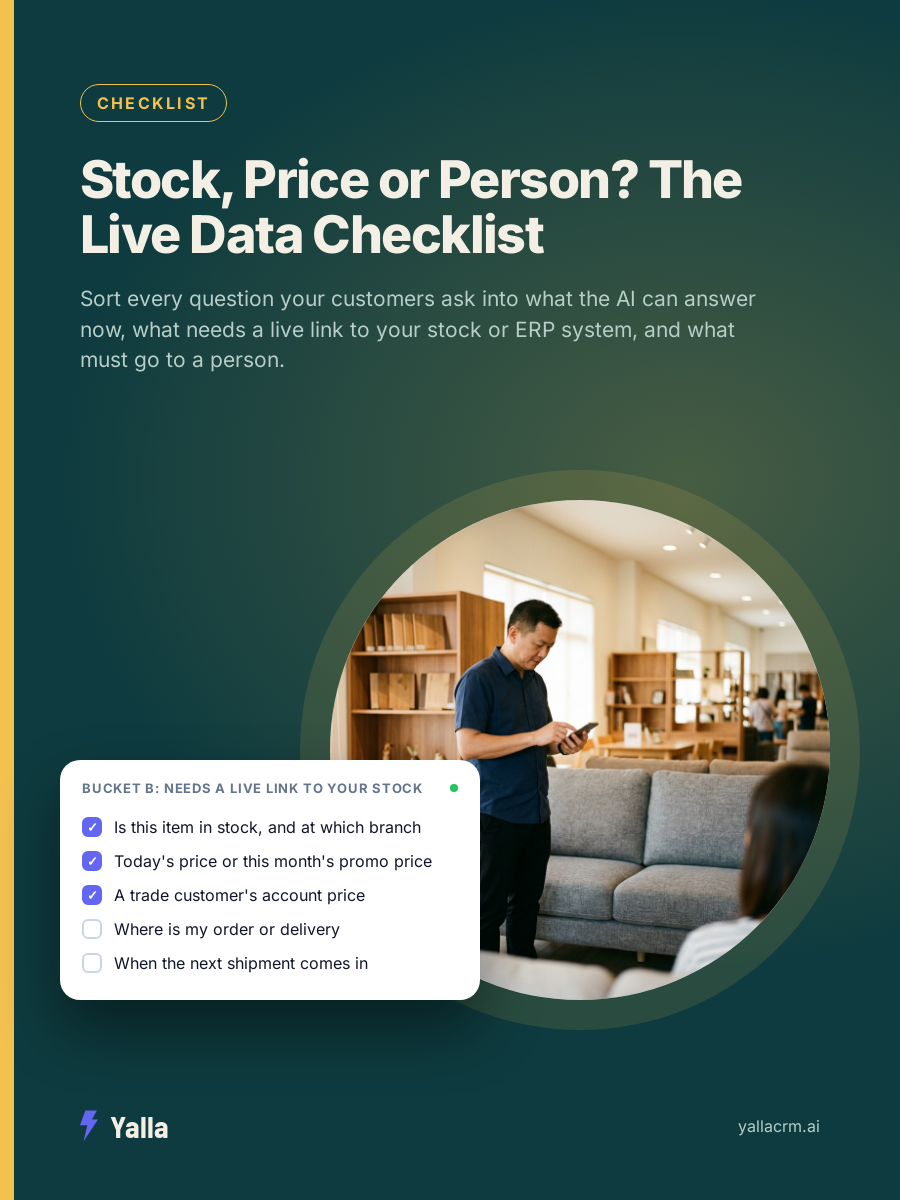
When the data isn't really in a system at all
Before you ask a vendor about integrations, be honest about where your numbers actually live. Picture a lighting wholesaler in Shah Alam. The stock count is in the accounting package, but the trade prices are in a spreadsheet the sales manager keeps on her laptop, special prices for regular contractors are in her head, and the latest supplier quote is a photo somewhere in a WhatsApp chat from March. Ask that business "what's the price for 40 units, delivered to Cheras?" and even a person needs half an hour to answer.
No AI can answer a pricing question from that, and connecting a CRM won't fix it on its own. If your prices live in a dozen files and a supplier's chat history, the first job is getting them into one place the system can read. The integration comes after.
What it takes to connect a CRM to an ERP
Connecting a CRM to an ERP means building a live data link, so that when the AI is asked about stock or pricing it queries the ERP and answers with the number that comes back. There are three common routes, roughly in order of effort.
- A ready-made integration. If your CRM and ERP already have a connector for each other, this is close to plug and play. You log in once and specific fields sync across.
- A middleware connector. Tools like Zapier or Make sit between the two systems and pass data back and forth. This works for common products, but adds a monthly cost and another moving part to maintain.
- A custom API integration. Your ERP exposes an API and a developer wires it to the CRM so the AI can request live figures. It's the most flexible route and often the only one for older or heavily customised systems, but it needs developer time to build and someone to maintain it. Custom builds also tend to run longer than first quoted, so ask for a realistic timeline and who owns it afterwards.
A demo can make any of these look effortless. So don't ask the vendor "can your AI answer stock questions". Ask "how does your AI get today's stock figure out of the specific system we run, and who builds and maintains that link?" The answer separates a real integration from a slide.
What changes once the AI can see live data
The customer experience changes a lot. The AI stops being a receptionist who knows the opening hours and becomes closer to a staff member who can check the system.
A customer asks if an item is in stock, and the AI reads the live count: "Yes, we have four left at the Puchong showroom." A trade customer asks for the price on their usual order, and the AI pulls their account price rather than the list price. Someone asks where their delivery is, and the AI reads the order status instead of saying "let me check and get back to you". Your salespeople only get pulled in when something needs judgement.
That's the argument behind how we build Yalla. An AI that can only see the chat thread will always sound helpful while giving incomplete answers, because it's working from half the picture. The value is in how many of your real systems it can read from and act on.
Yalla Brain acts across pipelines, WhatsApp, Instagram, Facebook, email campaigns and reporting from one instruction. For stock and pricing data that lives outside those, the same rule applies: the further the AI can reach into the systems you actually run, the more of the conversation it can finish on its own. Where that reach ends, so does its usefulness, which is why the connection is the thing to scrutinise before you buy.
When connecting your ERP isn't worth it
There are cases where wiring your ERP to your CRM's AI is the wrong call, at least for now.
- Your product data barely changes. If you sell a small, stable catalogue where prices and availability rarely move, load it into the knowledge base and refresh it by hand. A live integration is engineering effort for a problem you don't have.
- Your ERP has no usable API. Some older or heavily customised systems can't expose data cleanly. Forcing a connection can be more fragile and expensive than having a person check stock for the handful of enquiries that need it.
- Your enquiries rarely touch live data. If customers mostly ask about services, bookings or general information, the payback is thin. Fix the gaps that cost you most first.
- Every job is custom. When each quote is built from scratch, there's no stock figure for the AI to read. A bespoke hotel furniture maker we met through BNI said it plainly on a call: "I don't think your software can help much. That one is too custom, really, I don't know." He may well have been right about live pricing. What helps there is keeping each quote, its revisions and the supplier conversations in one traceable record, which is a different project from an ERP link.
- You need a system of record rather than a sales AI. If what you actually want is document management, compliance archiving or bookkeeping control after the sale, a chat-native CRM isn't the answer. That's the job of your ERP, a record-first CRM, or a flexible data tool like Attio.
The point of a live connection is to remove the manual check on questions that come up constantly and cost you speed. If those questions are rare in your business, spend the effort where leads are actually leaking.
Stopping the AI making up an answer when it can't see the data
This is the part teams underestimate. Before you connect anything, the most important instruction you give the AI is what to do when it doesn't know. "I don't have today's stock in front of me, let me get a colleague to confirm" protects your credibility. "Yes, plenty in stock" costs you the sale and a trust problem when the customer drives to Puchong and finds nothing.
So the order is: write clear handover rules first, connect live data second. When the AI can reach the ERP, it answers with the real number. When it can't, it hands over cleanly to the right salesperson instead of guessing. Both behaviours have to be configured.
Frequently asked questions
Can a WhatsApp AI chatbot check my inventory in real time?
Yes, but only if it's connected to the system that holds your inventory. The chatbot doesn't store stock levels. It has to query your inventory system or ERP through an integration and relay the number. Without that connection, any stock answer is a guess.
Do I need to replace my ERP to give the CRM's AI access?
No. In most cases you connect the two rather than replace either. Keep your ERP as the source of truth and build a link so the AI can read the fields it needs. Replacing an ERP is a far bigger project and rarely necessary just to improve AI answers.
Why does my AI give confident but wrong prices?
It's answering from static or outdated information rather than a live source. If the price sits in a document written months ago, or the model is filling a gap it can't see, it will sound sure and be wrong. Either connect it to live pricing or tell it to hand over any pricing question it can't verify.
Is connecting a CRM to an ERP expensive?
It depends on your ERP. A ready-made connector between two mainstream systems can be cheap and quick. A custom API build against an older or in-house system takes developer time to build and maintain, which is a recurring cost. Get a clear answer on which route your systems need before you commit.
Free download
Stock, Price or Person? The Live Data Checklist
A practical companion to this article. Free for your email address.
Get it freeYalla is the chat-native CRM where the AI does the work, not just the talking.
See how much of your business it can reach.