
The Facebook Leads You Paid For and Nobody Replied To
For KL businesses running Meta lead ads: where paid leads sit after the form, why they go cold overnight, and how to get every one a reply in minutes.
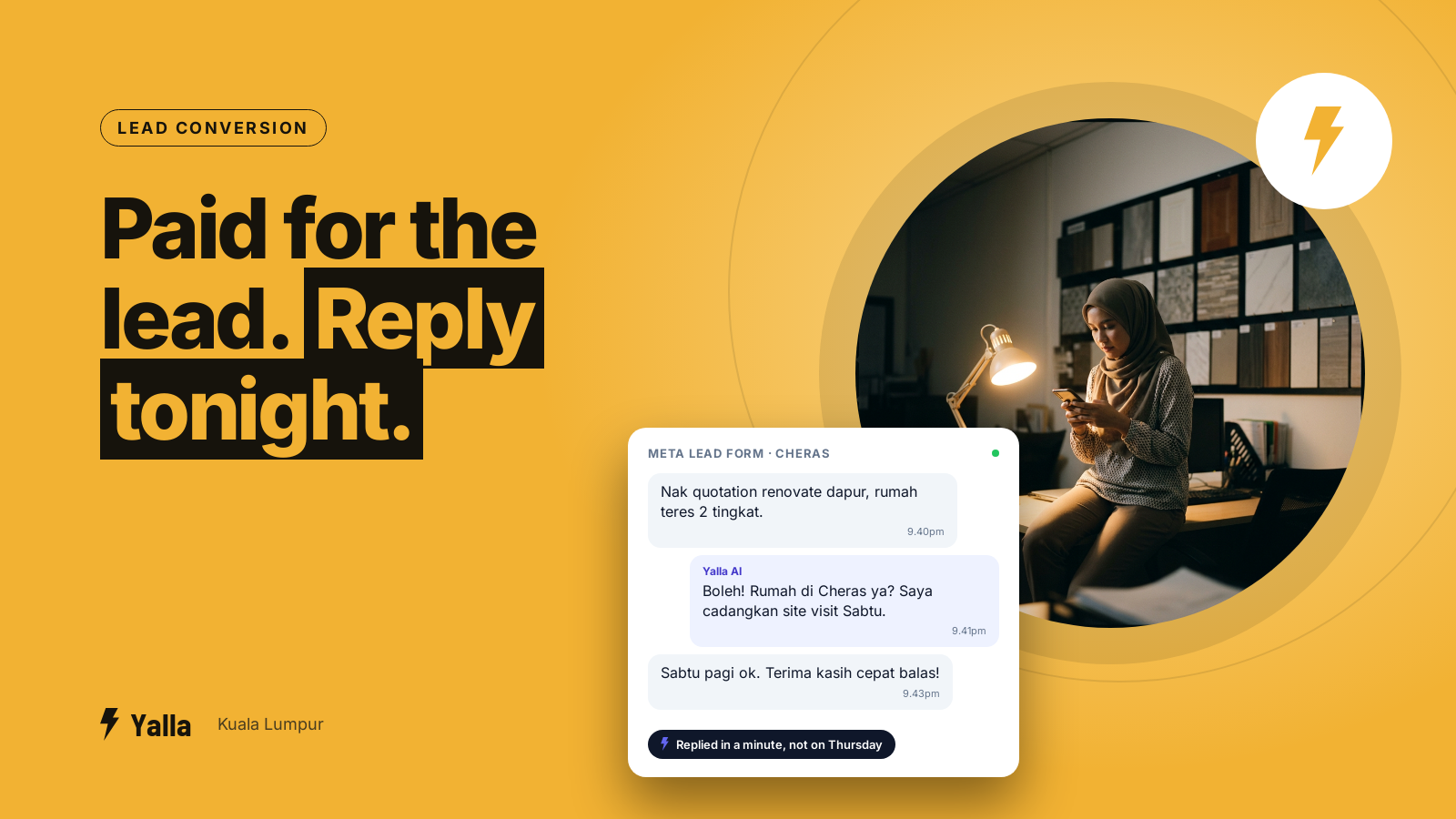
Someone in Cheras fills in your Facebook lead form at 9.40pm. They've just asked to hear from you. Then nothing happens. No reply that night, nothing the next morning, and by the time anyone on your team opens Ads Manager on Thursday, that person has already booked with the Puchong competitor who answered first.
Most Klang Valley businesses running Meta ads have a version of this problem, and most of them can't see it. The ads work. The form converts. You pay for the lead, somewhere between a few ringgit and a few hundred depending on what you sell, and then it sits in a place nobody checks often enough.
A marketing lead at a private hospital group we met through a BNI chapter described her own setup to us. Her team was running a campaign for a parent craft class, aiming for 150 couples, using social media ads alongside the hospital's existing patient list:
"So moving towards that event our strategy is to contact to reach our existing patient data through email and WhatsApp which have been done manually, and prospect from social media advertising and social media boosting. So if we can have that in one platform to manage from existing data and from the potential leads that comes in from the ads, it's more effective I think."
And on what happened after someone signed up:
"The WhatsApp we have link for Google form for sign up. So when they sign up we have to refer that Google form and manually register... So they have to register in the hospital system. So that's manual."
Ad, form, a person copying details into another system. Every paid lead waits on that manual step. This article is about what happens to a Facebook or Instagram lead after the form is submitted, where it goes cold, and how to get every one a reply while the person still remembers asking.
Where your Facebook leads actually sit after the form
When someone completes an instant form on a Facebook or Instagram lead ad, the details don't land in your inbox or on anyone's phone. They stay inside Meta. There are four ways to get them out:
- A manual CSV download from Ads Manager or your Page, which someone then pastes somewhere useful.
- Meta's API, if you have a developer to connect it.
- A connector tool such as Zapier, Pabbly or LeadsBridge that pushes each lead to another app.
- A CRM connected directly to Meta, so the lead appears the moment it's submitted.
For most small teams in KL, the default is the first one. Someone remembers to log in, downloads the new leads, and either works from the spreadsheet or pastes numbers into WhatsApp one by one. At five leads a week that's fine. At fifty it quietly breaks, and nothing warns you, because a lead nobody downloaded doesn't throw an error. It just sits there.
There's also a deadline many advertisers don't know about. Meta only keeps lead form data available for download for a limited period, currently 90 days from submission, after which you can't get it back. If nobody pulls the leads for three months, the money you spent on them is simply gone. Check the current retention period in your own Ads Manager, because Meta does change these rules.
Free download
Every Facebook Lead Answered in Five Minutes: The Follow-Up Setup Checklist
A practical companion to this article. Free for your email address.
Get it free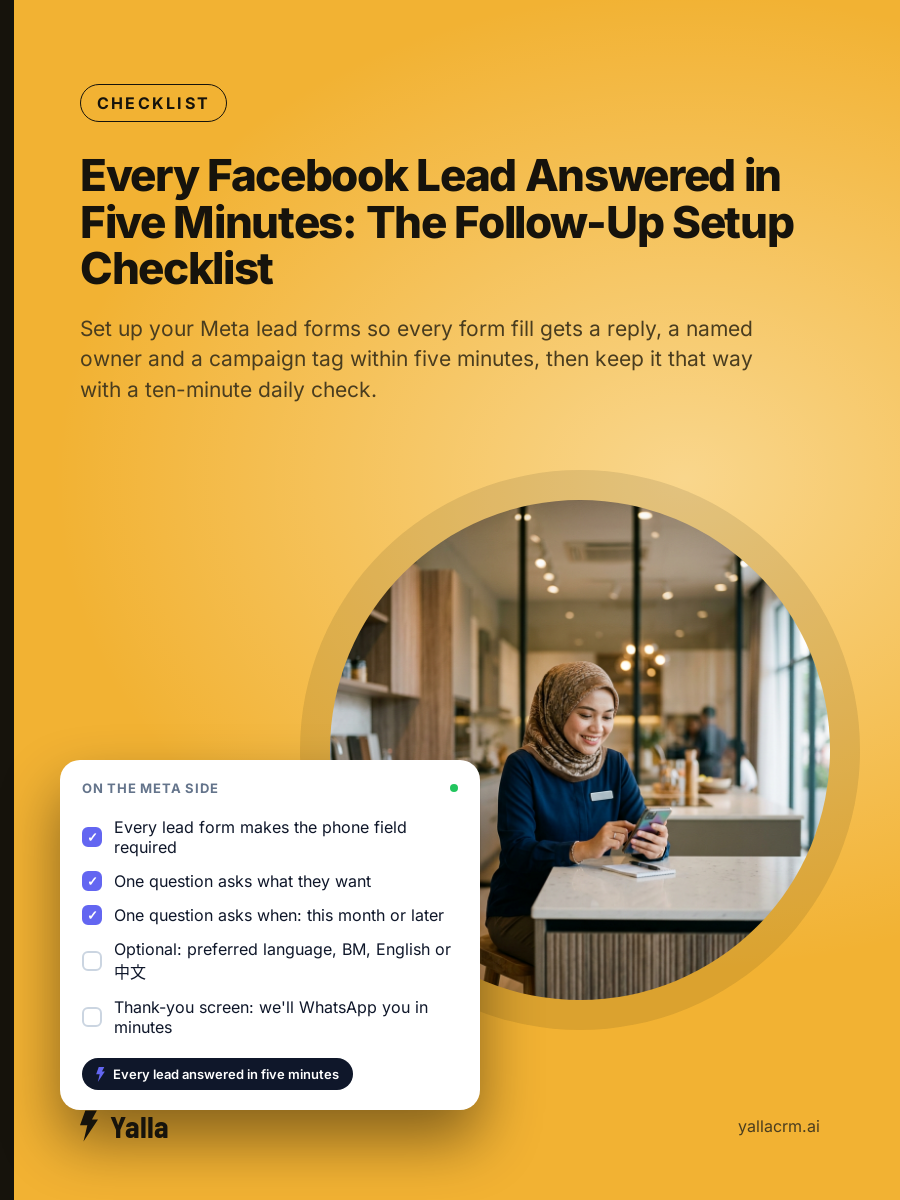
The four places a paid lead goes cold
The ad was rarely the weak point. The handover was. These are the gaps we see most often:
- The download nobody owns. If pulling leads out of Ads Manager is everyone's job, it's nobody's. Days go by between downloads.
- The evening gap. People scroll after dinner and after the kids are in bed, which is when forms get filled in. Your team clocked off at six.
- The cooling lead. Someone who submitted a form expecting a call is a different person a day later. They've messaged two other providers or forgotten they enquired.
- The copy-paste bridge. The lead lives in a spreadsheet. Your customers live on WhatsApp. Moving them across by hand is slow, and a mistyped digit in a phone number means that lead is lost for good.
Speed matters more than almost anything else here. We won't quote you a speed-to-lead statistic, because most of the ones floating around weren't measured on Malaysian businesses. You don't need one anyway. Look at your own last month of leads, note when each form was submitted and when someone first replied, and compare the booking rate of the fast replies with the slow ones. That gap is your number.
Lead form ads and click-to-WhatsApp ads behave differently
These are two separate Meta ad formats, and they need different handling.
- Instant form ads show a form inside Facebook or Instagram. Details auto-fill, the person taps submit, and the data goes to Meta. You then have to get it out. They capture volume well, and they punish any business that doesn't pull leads through automatically.
- Click-to-WhatsApp ads open a chat with your business the moment someone taps. No form, no export. The conversation has already started, in the app your customer uses all day anyway.
Neither is automatically better. Forms usually bring in more people because the friction is lower, and they create the export-and-chase problem. Click-to-WhatsApp usually brings fewer people who are warmer, already mid-conversation. Plenty of KL businesses should run both. What matters is that both land in the same place and get followed up the same way, so you're not running two different sales processes off one ad budget.
Getting every paid lead a reply without anyone downloading anything
The fix is to take people out of the transport step completely. A lead should travel from Meta into your team's working view on its own. In practice:
- Connect your lead forms and click-to-WhatsApp ads to the system your team already works in, so a submitted form becomes a live contact straight away, instead of a row in a file.
- Send a first message within seconds of the lead landing. A short, human acknowledgement now is worth more than a perfect reply tomorrow. If your customers write in Malay or Chinese as often as English, the first message should match.
- Ask the two or three questions that separate a buyer from a browser before a salesperson picks it up: what they need, roughly when, and what budget they have in mind.
- Assign the lead to one named person with a follow-up task attached. "Who's got this one?" is where most paid leads die.
- Keep the campaign on the record, so later you can see which ad produced paying customers and not just form fills.
Several tools can move a lead from Facebook into WhatsApp. The gap most of them leave is what comes after. A connector can drop a contact into a chat, but without qualification, assignment, a follow-up schedule and reporting behind it, you've automated the copy-paste and left the selling exactly where it was.
What cost per lead hides
Most owners we speak to in KL can tell you their cost per lead. Far fewer can tell you their cost per customer, and that's the number that decides whether an ad deserves more budget.
Picture a tuition centre in Subang spending RM3,000 a month on lead ads and getting 150 leads. That's RM20 a lead, which looks fine on the Ads Manager screen. If only six of those leads ever become paying students, each student cost RM500 to acquire. If a third of the 150 never got a reply at all, the real problem isn't the ad. It's the 50 people who raised their hand and heard nothing.
You only see this if the campaign name travels with the contact from form to sale. Cost per lead is easy to measure and easy to be fooled by. Cost per paying customer tells you which ads to keep.
Where Yalla fits
Yalla is a chat-native CRM, and the AI in it does the work rather than just holding the conversation. A Facebook or Instagram lead arrives, gets an instant reply, gets qualified in the first exchange, and is assigned to a salesperson with the follow-up already scheduled, without anyone opening Ads Manager. Yalla Brain works across pipelines, WhatsApp, Instagram, Facebook, email campaigns and reporting from one instruction, so "follow up every lead from the Raya campaign that's gone quiet for two days" is one request instead of an afternoon of scrolling.
When this isn't what you need
Some honesty, because the rest only counts if this part is true.
- If your leads mostly arrive by email and your deals run for months on documents, a record-first CRM built around email threads will suit you better. WhatsApp isn't where that business is won.
- If your buyers don't use WhatsApp, don't force the channel to fit a tool. Meet them on email, phone or Messenger.
- If you need a very custom data model with bespoke objects and relationships, something like Attio will bend further.
- If you carry heavy enterprise compliance requirements, Salesforce-tier audit tooling exists for a reason.
For a Klang Valley team of three or more salespeople or admissions staff, running Meta ads and losing paid leads between the form and the first reply, a WhatsApp-native setup is the honest fit.
Frequently asked questions
Can I connect Facebook lead ads to WhatsApp without a developer?
Yes. Direct integrations and connector tools link Meta lead forms and click-to-WhatsApp ads to a CRM without code. It's a configuration job. The question worth asking is what happens once the lead lands: does it get an instant reply, a couple of qualifying questions and an owner, or does it just appear as another untouched contact?
How long does Facebook keep my lead ad data?
At the time of writing, Meta keeps lead form data available for 90 days from submission. If you rely on manual CSV downloads and miss that window, those leads can't be recovered. That's the strongest practical reason to sync leads automatically as they arrive.
Should I run lead forms or click-to-WhatsApp ads?
Often both. Forms bring in more people, and click-to-WhatsApp brings in warmer ones already mid-chat. The mistake is treating them differently after capture. Both should land in the same inbox and get the same fast, qualified, assigned follow-up.
How do I know which campaign produced a paying customer?
Attach the campaign to the contact the moment it's captured and carry it through your pipeline to the sale. Then your reporting shows revenue by campaign, in ringgit, not just leads by campaign.
Free download
Every Facebook Lead Answered in Five Minutes: The Follow-Up Setup Checklist
A practical companion to this article. Free for your email address.
Get it freeYalla is the chat-native CRM where the AI does the work, not just the talking.
See how much of your business it can reach.