
Before You Message Your Old Customer List, Know What Gets a Business Number Blocked
A hospital group asked if 200 messages gets you blocked. What really gets a KL business number restricted, and how to run a campaign without losing it.
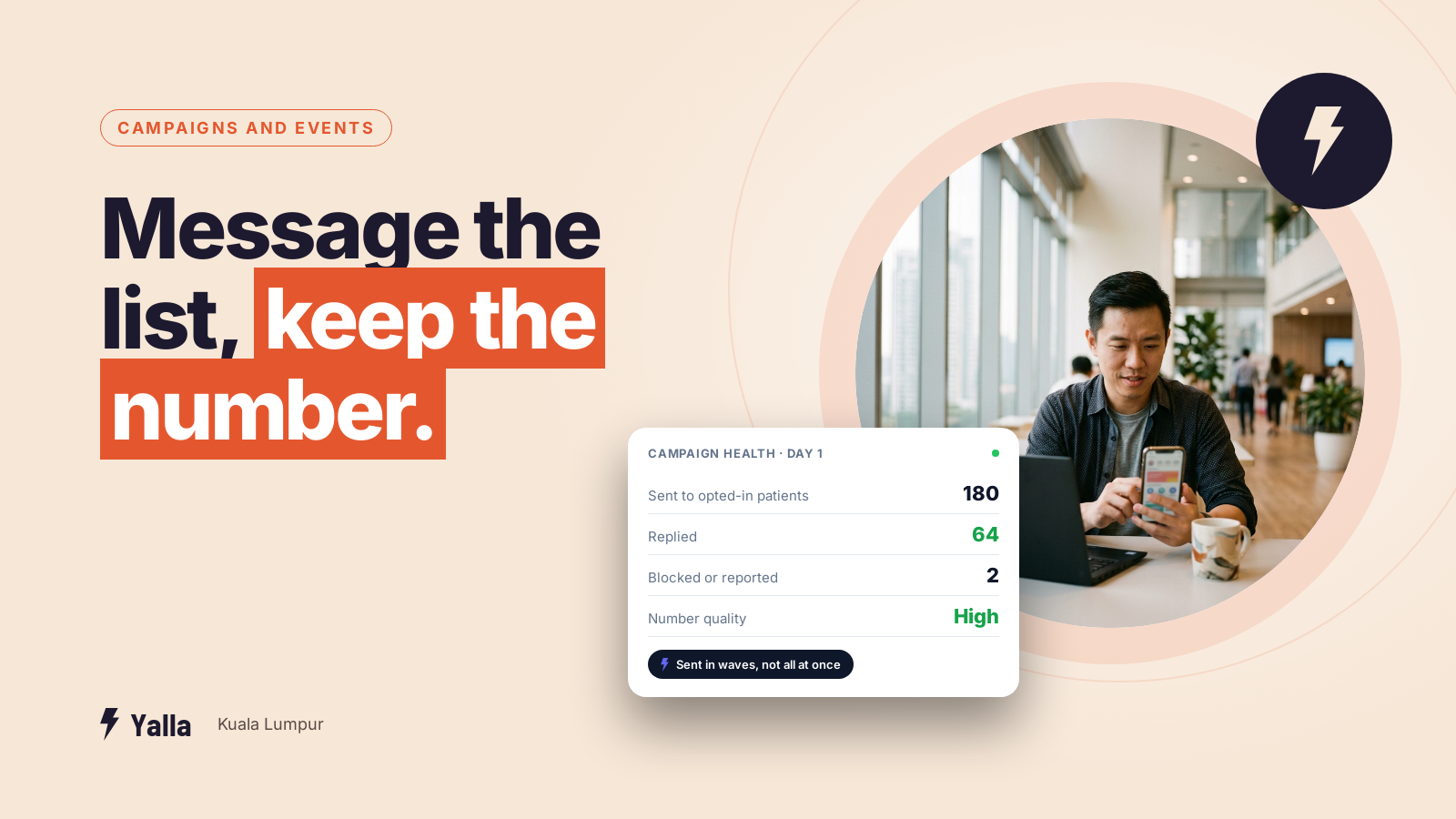
A private hospital group we met through a BNI chapter had just launched a campaign for a parent craft class, aiming for 150 couples. Their marketing lead described the plan: contact existing patients "through email and WhatsApp which have been done manually", and add new prospects from social media ads. On the same call came the worry underneath it:
"More than 200 it will be blocked, right?"
It's the question most Klang Valley businesses ask the moment they think about messaging their customer list in one go. The number on the shopfront, the invoices and the Google listing is the one number the business can't afford to lose, and nobody is quite sure where the line is.
This piece covers what actually gets a business number restricted, what doesn't, and how to run a campaign to an old list without losing the channel your sales run on.
The magic number is the wrong model
The common belief is that there's a fixed limit. Send under 200 and you're safe, send over it and you're blocked. It's a dangerous model because it suggests you're fine below the line.
What gets numbers restricted is volume combined with how recipients react: blocks, reports, and people who never reply. A thousand messages to customers who expect to hear from you is safer than fifty to people who don't recognise your number.
There are limits, to be fair. On the official WhatsApp Business Platform, Meta gives each number a quality rating based on recent feedback from the people you message, and a messaging limit on how many new conversations your business can start in a rolling 24 hours. New numbers start on a low limit and move up as they show good quality. Both figures are visible in WhatsApp Manager. Meta has changed the tiers and how they're applied more than once, so check the current numbers in Meta's own documentation before you plan a send around them.
The uncomfortable consequence is that the businesses most at risk are the ones doing something sensible: waking up an old customer database. Old contacts are the least likely to recognise your number and the most likely to press "report".
Free download
The Safe Send Plan: Wake Up an Old Customer List Without Losing Your Number
A practical companion to this article. Free for your email address.
Get it free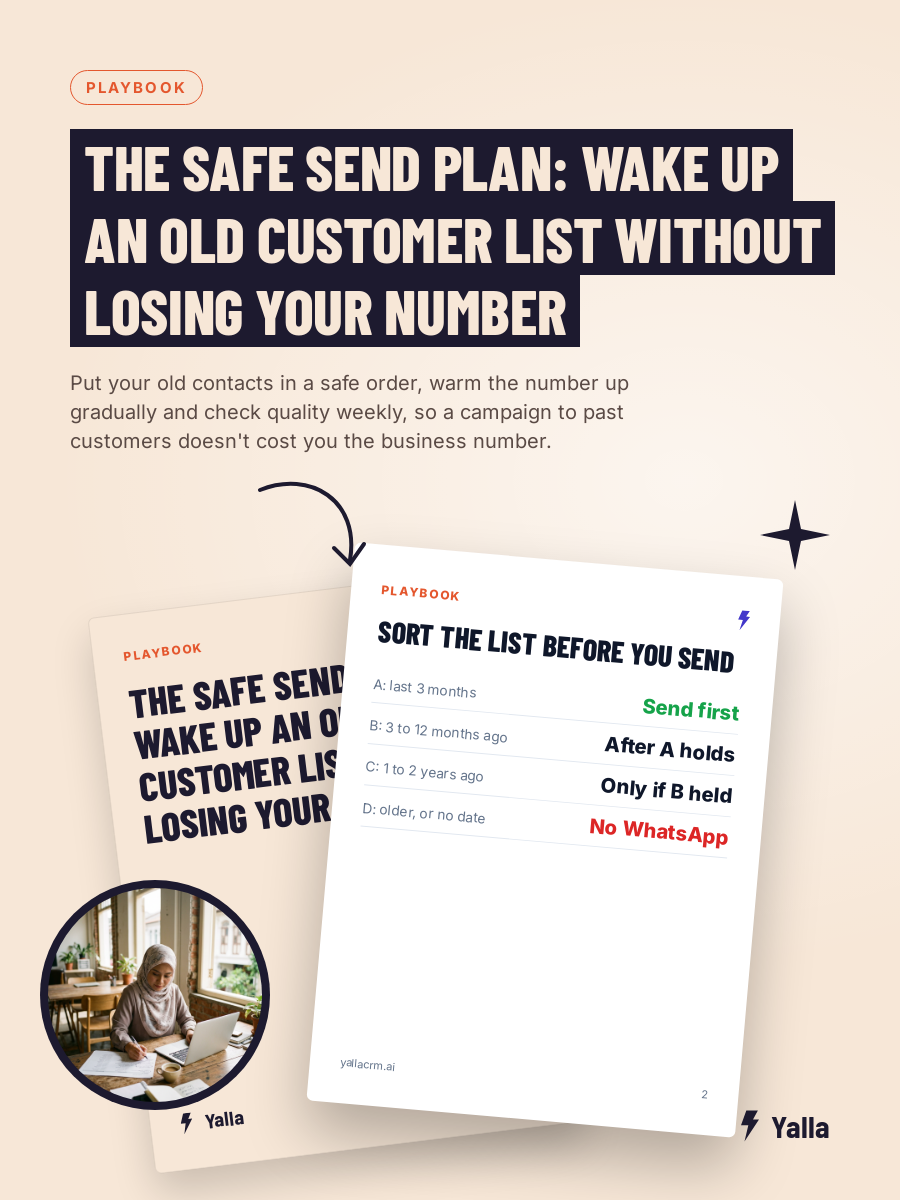
Two roads: the official API and the shortcuts
The other half of the risk is how your number is connected to software in the first place.
There are two routes. One is the official WhatsApp Business Platform, which Meta sanctions and which businesses access through approved providers. The other is a class of unofficial tools that ride on the consumer app or WhatsApp Web using open-source libraries such as Baileys, whatsapp-web.js, WAHA or Evolution API, or modified versions of the app. The first is built for teams and multiple agents. The second breaks WhatsApp's terms of service, and it's where a lot of bans come from.
| Official WhatsApp Business Platform | Unofficial tools | |
|---|---|---|
| Sanctioned by Meta | Yes | No, against terms of service |
| Ban risk from the method itself | Low | High |
| Multiple agents on one number | Yes | Fragile, often breaks |
| Messaging after 24 hours | Approved templates | Unregulated, higher block risk |
| When Meta updates something | Maintained by the provider | Can stop working overnight |
| Setup | Verified, takes longer | Cheap and quick |
If a tool is much cheaper than everything else and promises to automate your existing WhatsApp with one QR scan and no business verification, you're looking at the unofficial road. Tools sold on "message thousands of contacts at once" are selling the quickest route to a restricted number, whichever way they connect.
What actually gets numbers restricted
Most of this applies on the official platform too. As of 2026, the behaviours that most reliably get a number restricted or banned are:
- Messaging people who never opted in to hear from you
- A high rate of blocks and reports
- Sending marketing content under the wrong template category
- Sudden jumps from near-zero to campaign volume
- Using bought or scraped contact lists
- Prohibited content
- Unofficial bulk-sender tools or modified WhatsApp apps
Most of that list is about consent and content, not software. You can be fully on the official platform and still get restricted if you import a bought list of Petaling Jaya phone numbers and blast it. The safe setup is the official platform plus disciplined sending.
The pattern behind most problems
The shape of the mistake is fairly consistent:
Sending to people who don't know the number. Most likely when the contacts are years old or the number is new. Recognition is the whole game.
Putting a personal-history number into paid ads. A number that spent years as someone's personal line behaves differently from one set up for business, and pointing ad traffic at it invites trouble.
Treating a promotion like a conversation. A bulk send looks nothing like the back-and-forth WhatsApp is designed for.
No warm-up. Going from almost nothing to campaign volume in a day is a pattern change, and pattern changes get noticed.
Nobody watching. Businesses usually find out they have a problem when the channel stops working, which is the last possible moment.
What you lose when a number goes
More than the number. You lose the conversation history attached to it, the trust customers have in that particular line, and the weeks it takes to set up a new number and get everyone to save it. For a business where sales happen in the chat, losing the number is closer to losing a shopfront on a busy row in SS2 than losing a login. That's why the fear in that hospital meeting was rational.
Practical protection
These hold whatever the current policy details are:
- Separate numbers by job. The number in your ads, the number for existing-customer service and anyone's personal number should not be the same one. Losing one shouldn't take the business down.
- Keep personal-history numbers out of paid acquisition. Set up a clean business number for ads.
- Warm up gradually. Start with recent, engaged contacts. Let reply rates settle before you go wider.
- Write messages people want to answer. Replies are the strongest positive signal you can generate. A message that invites a real response protects you; a broadcast that invites a block does the opposite. For a mixed Malay, English and Chinese customer base, send each person the language they wrote to you in.
- Sequence by recency. Most recent contacts first, oldest last. If quality slips, you find out on a small, safe group.
- Check your quality rating weekly. Someone on the team should be able to say what it is without logging in for the first time in a year.
- Keep a fallback. If WhatsApp is your only route to customers, a restriction is an outage. Email and SMS are unfashionable, not useless.
The trade-off nobody likes
Waking up a dormant database is one of the highest-return things a service business can do. It's also the most reliable way to damage your WhatsApp standing. Both are true. The answer is sequencing: recent and engaged first, watch what happens, and widen only while the signals hold. For the hospital group, that would mean starting with patients who visited in the last few months before going near the ones from years back.
Checking a vendor before you connect your number
Run this against any tool before you connect the number your business depends on:
- Confirm it uses the official WhatsApp Business Platform. Ask directly. A straight answer is a good sign; a vague one isn't.
- Check that your business gets verified and your number registered as part of setup. Verification is friction, and here friction is protection.
- Be wary of QR-only setups with no verification. If you can connect your existing WhatsApp in one scan with no business checks, you're probably on the unofficial road.
- Ask how messages after 24 hours are sent. The answer should be approved templates.
- Delink the number cleanly from any old device or previous tool, so nothing is quietly automating it in the background.
- Get opt-ins and template categories right from day one. The platform protects you; your sending habits keep that protection.
Where Yalla fits, and where it doesn't
Yalla connects business numbers through the official WhatsApp Business Platform. That's deliberate. We switched off QR-code login for teams even though it technically worked, because it carried a compliance risk to the customer's number, and we don't offer the "automate your personal WhatsApp" shortcut some tools advertise. We'd rather a rep opens the Yalla app to reply than put the company's number at risk to keep a habit.
Yalla Brain acts across pipelines, WhatsApp, Instagram, Facebook, email campaigns and reporting from one instruction, and none of that is worth much if the line underneath gets switched off. For a campaign like the hospital's, the useful part is the discipline: sending to the right cohort in the right order and watching the replies as they come in.
Where we're the wrong tool: if the goal is blasting a large cold list cheaply from an unverified number, that's a ban waiting to happen on any platform. If your business is email-led and WhatsApp is minor, a record-first CRM will suit you better.
A few honest caveats. Meta's rules change, and anything you read about them, this included, needs checking against current documentation. No platform or partner can guarantee your number won't be restricted. Anyone who promises that is telling you something they can't know.
Frequently asked questions
Is there a fixed number of messages that gets you blocked?
Not in the way most people think. There are messaging limits on new conversations per 24 hours, and they rise with good quality, but restrictions are driven mainly by how recipients react: blocks, reports and silence.
Will my number get banned just for using a WhatsApp CRM?
Not if the CRM uses the official WhatsApp Business Platform. Bans come from unofficial tools that automate a personal account and from sending habits like messaging people who never opted in.
Can I get a banned number back?
Sometimes. WhatsApp has an appeal process for restricted and banned business accounts, but reinstatement isn't guaranteed and can take time you don't have. Prevention costs far less than the appeal.
Free download
The Safe Send Plan: Wake Up an Old Customer List Without Losing Your Number
A practical companion to this article. Free for your email address.
Get it freeYalla is the chat-native CRM where the AI does the work, not just the talking.
See how much of your business it can reach.